DIO
This module allows you to do Internet IO using the Labjack devices. For instance you can read and write analog and digital values and even run a stepper motor through the Internet using our realtime system.
Example
Let's say you have a server in a cabinet at a colocation facility and you want to know any time the cabinet door is opened.
To get the client software, you'll need a free account on this server to download the source code. After you create your account:
-
Sign on, go to "my account" and enable the "dio" bundle (in the bundles tab)

-
Click on the "companies" tab and create a company

- Go to "my account" and click on your company
-
Click on the "devices" tab and add a device
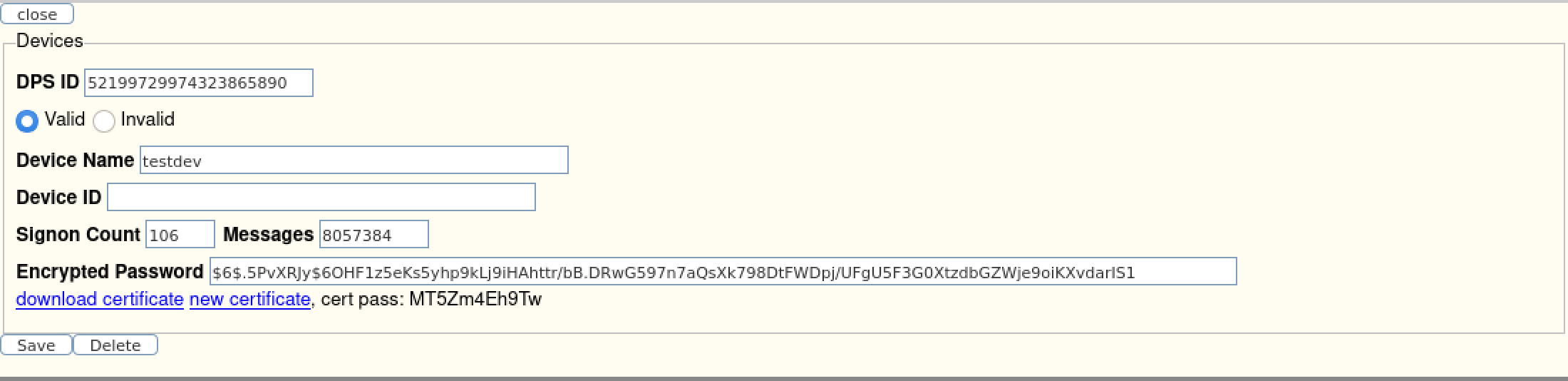
- Download the certificate, password and certificate password
-
Click on the "sites" tab and add a site using that device, don't add interfaces or channels yet
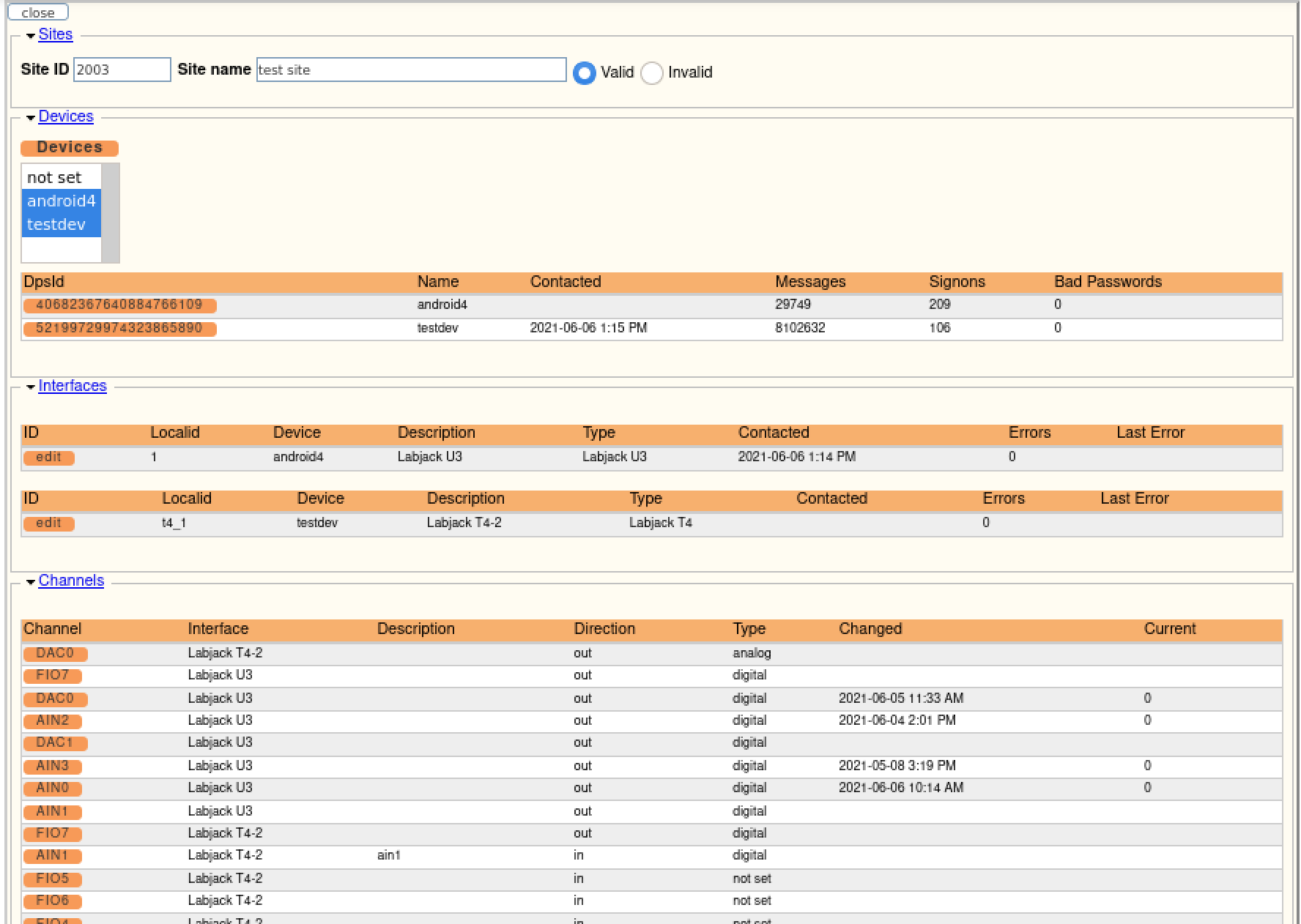
- Download the source code in the "downloads" tab
- Extract the source file and follow the README.txt file to build it
- Edit the "dssClient.conf" file and add your information
- Start the dssClient program
- The interfaces and channels will load when the program connects, or you can create them
Adding a Magnetic Switch
In this example we'll add a magnetic switch to a Labjack T4 on channel AIN0. When the magnetic contact is broken, the system will send an alert.
Here is the T4 and the switch (from Grainger.com, item# 2EXT8):
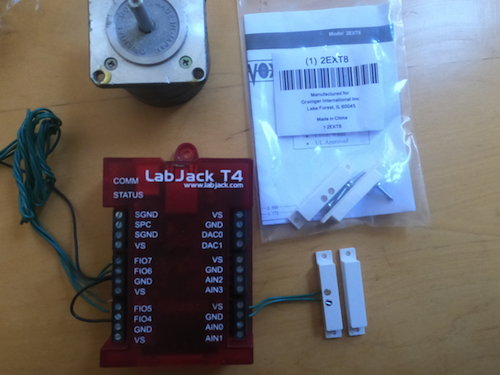 Note: wires are connected to AIN0 and GND.
To send the alert, edit the configuration file dssClient.conf to uncomment this line:
send_data_alerts = yes
Establish your contact list by going to the "maintenance" tab and clicking on "Contact Lists". Create a list named "default" (you can change that in the code) and those contacts will be notified when a state change occurs on AIN0.